Native macOS · Apple Silicon

The terminal that
finally gets Hebrew right.

A fast, modern macOS terminal with true bidirectional rendering — Hebrew and English live on the same line, in the right order, every time.

Signed & notarized by Apple  ·  opens with no Gatekeeper warning

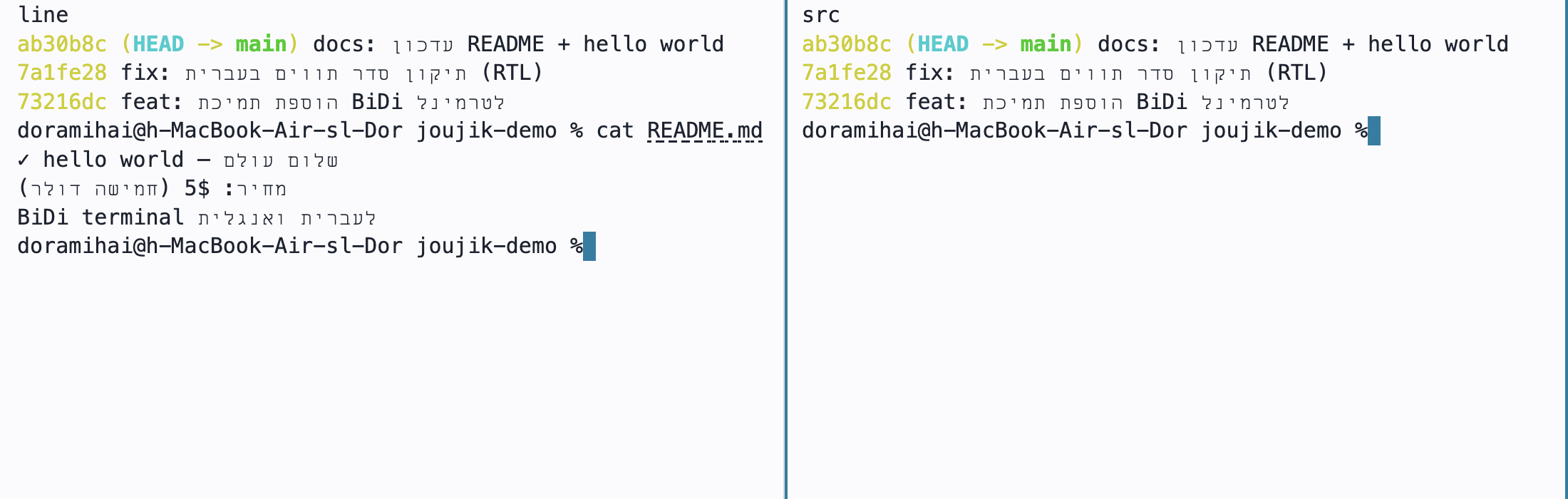
Joujik Terminal: ls shows Hebrew filenames, git log shows Hebrew commit messages, and cat shows mixed Hebrew/English — all in correct visual order
What it is

A terminal built for people who live in two languages.

Every other terminal mangles mixed Hebrew–English text: letters flip, brackets mirror the wrong way, your cursor lands in the wrong place. Joujik Terminal renders each line in correct visual order using the Unicode bidirectional algorithm — while keeping copy, paste and selection in true logical order, so what you paste is what the shell meant.

Under the hood it's a real terminal: it runs your own zsh / bash, speaks full ANSI/VT, and adds the things you actually use every day — tabs, split panes, search, themes and automatic session restore.

RTL+LTRtrue bidi, per line
8,000lines of scrollback
5built-in themes
0network calls, no telemetry
See it in action

Real Hebrew. Real terminal. Rendered right.

Actual screenshots — filenames, git history and output in mixed Hebrew & English.

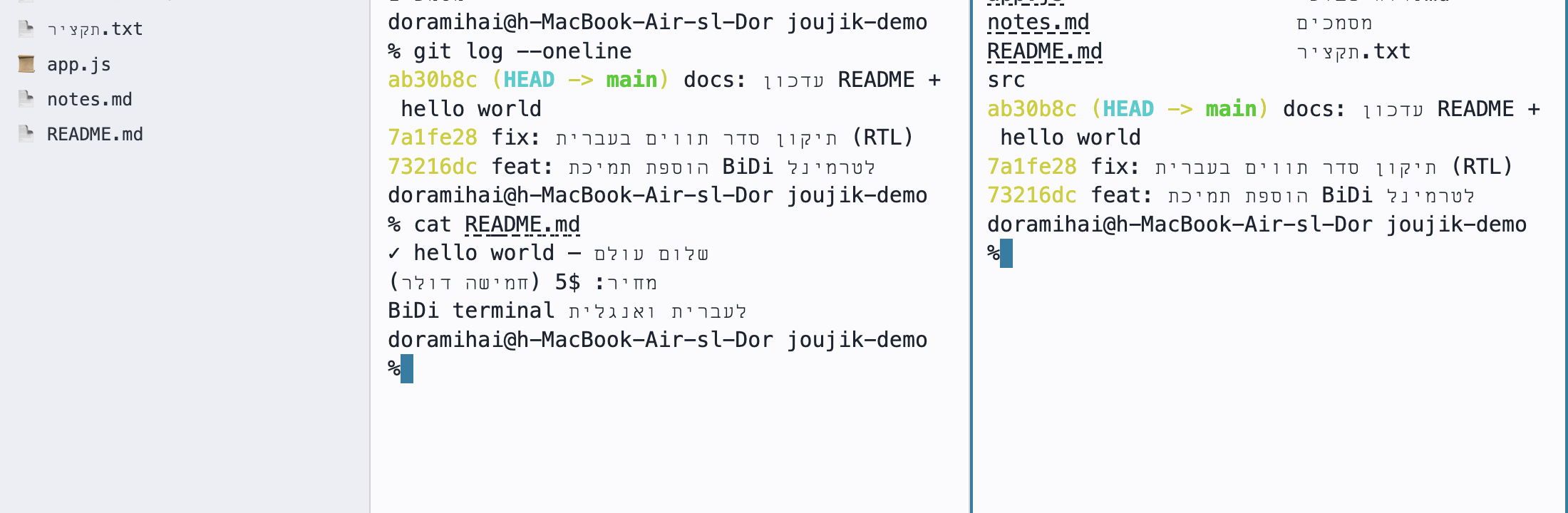
Two split panes side by side, each showing Hebrew filenames and Hebrew git commit messages
Split panes. Run commands side-by-side — ⌘D to split — with Hebrew output ordered correctly in every pane.
File browser sidebar listing Hebrew-named files and folders next to the terminal
File sidebar. Browse folders without leaving the shell — ⌘E — Hebrew filenames shown and selectable.
Capabilities

Everything a modern terminal should do.

Real features, all implemented — not a wish-list.

True BiDi rendering ⌘B

Mixed Hebrew & English on one line, ordered correctly with bracket mirroring. Toggle it on or off instantly.

🗂️

Tabs ⌘T

Open as many terminals as you like, switch with ⌘1–9, rename any tab with a double-click.

Split panes ⌘D

Split side-by-side or stacked to run commands in parallel. Layout is restored when you reopen.

💾

Named sessions

Save a whole tab layout — splits and the working directory of each pane — and bring it back by name.

📁

File sidebar ⌘E

Browse folders without leaving the shell. Double-click to insert a path, “Go” to cd the active pane.

🔎

Search scrollback ⌘F

Find anything in your history with live match count and jump-to-match navigation.

🕘

Command palette ⌘P

Fuzzy-search your shell history, newest first, and insert a command without auto-running it.

🔗

Click to open

⌘-click any URL to open it in your browser, or any file path to open it with the default app.

🖱️

Full mouse support

Click to place the cursor, drag to select, double/triple-click for word and line, trackpad scrolling.

⬇︎

Export buffer

Save your session as plain text, Markdown, or styled HTML — Hebrew and colors preserved.

🌓

Themes & zoom

Five built-in themes and ⌘+ / ⌘− font zoom; your choice persists across launches.

Session restore & recovery ⌘R

Reopen to exactly where you left off; recover a stuck pane without losing your work.

The differentiator

Hebrew that doesn't fall apart.

Type a commit message, a path, a string literal — half Hebrew, half English. Joujik Terminal puts every glyph exactly where it belongs.

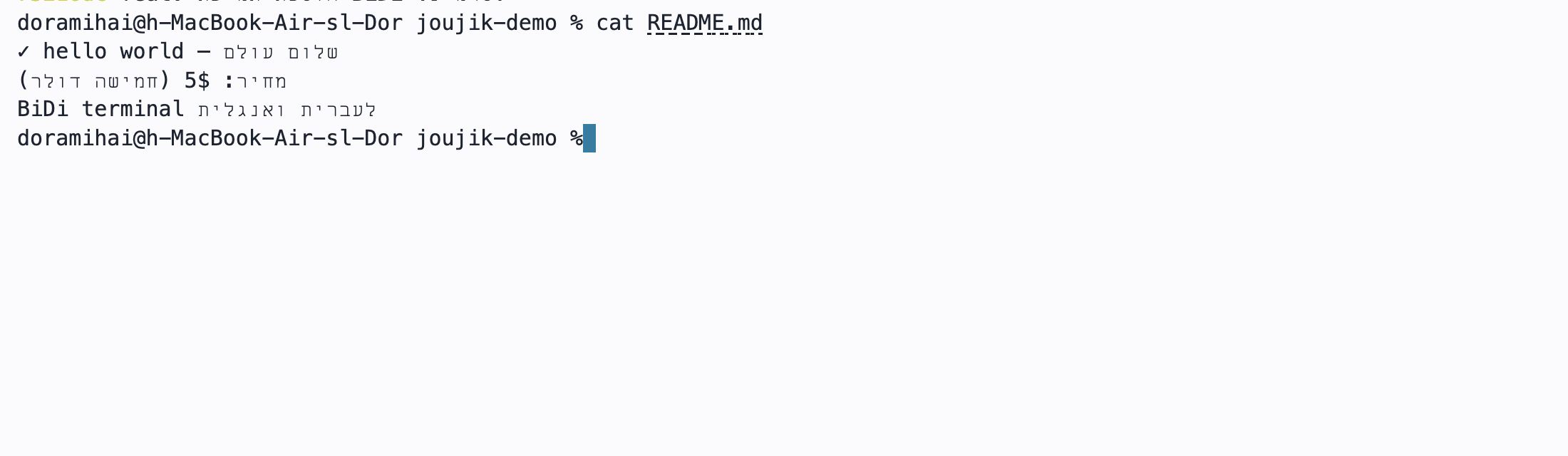
Other terminals: letters reverse, brackets mirror wrong, cursor drifts
Joujik: correct visual order, logical copy/paste, accurate selection
$ echo "מחיר: 5$ (חמישה דולר) — done ✓"
מחיר: 5$ (חמישה דולר) — done ✓
 
$ ls ~/מסמכים/reports
2026-Q2.pdf  סיכום-שבועי.md
The toolbar

What every button does.

A compact status bar at the bottom puts every action one click — or one shortcut — away.

New tab ⌘T

Open a fresh terminal in your home directory.

📁

File browser ⌘E

Show / hide the folder sidebar; “Go” changes the active pane's directory.

🕘

Command history ⌘P

Searchable palette of your shell history — insert without running.

▯▯

Split side-by-side ⌘D

Add a pane to the right of the current one.

Split stacked ⌘⇧D

Add a pane below the current one.

📎

Insert file path

Open a file picker and drop the chosen path into the input line.

⬇︎

Export

Save the buffer as .txt, .md, or styled .html.

💾

Sessions

Save the current tab layout by name and restore it later.

🌓

Theme

Cycle through dark, light, Solarized, Dracula and Nord.

Toggle BiDi ⌘B

Turn bidirectional Hebrew/Arabic reordering on or off.

Recover ⌘R

Send Ctrl-C and redraw — unstick a frozen pane without losing the session.

?

Help ⌘/

Open the full keyboard-shortcut reference, grouped by category.

Make it yours

Five themes, one keystroke away.

Switch with the 🌓 button — your choice is remembered next time you open the app.

$ echo שלום
שלום world ✓
Dark default
$ echo שלום
שלום world ✓
Light #fbfbfd
$ echo שלום
שלום world ✓
Solarized #002b36
$ echo שלום
שלום world ✓
Dracula #282a36
$ echo שלום
שלום world ✓
Nord #2e3440
Before you buy

What you need.

🍎

macOS

Apple Silicon (M1 or newer)

🔏

Signed & notarized

Apple-verified — opens with no Gatekeeper warning

Lightweight

A single download — no install wizard, no dependencies

🔒

Private

Runs your local shell — zero network calls, no telemetry

Get Joujik Terminal
$5 · one-time
no subscription · yours to keep

Ready when you are.

To purchase, get in touch and we'll send you the signed download and your license.

Questions? Email service@joujik.com  ·  instant download & license keys coming soon.